

Use Background Evaluation
Background Evaluation lets an eligible Playbook continue evaluating supported market conditions while you are offline.
Valid simulated setup and lifecycle evidence can be recorded for Trade History and Trade Intelligence Center.
Availability and price
| Plan | Price | Access |
|---|---|---|
| Pro | $49 | 30 consecutive calendar days |
| Max | $39 | 30 consecutive calendar days |
Background Evaluation is not available for Starter or rented Playbooks.
A purchase applies to one eligible Playbook and cannot be transferred to another Playbook.
Evaluation schedule
- supported futures Playbooks: supported 23/5 futures market hours;
- supported crypto Playbooks: continuous 24/7 evaluation.
Activate Background Evaluation
- Open the Playbook card or Settings → Playbooks.
- Find Background evaluation.
- Enable the control.
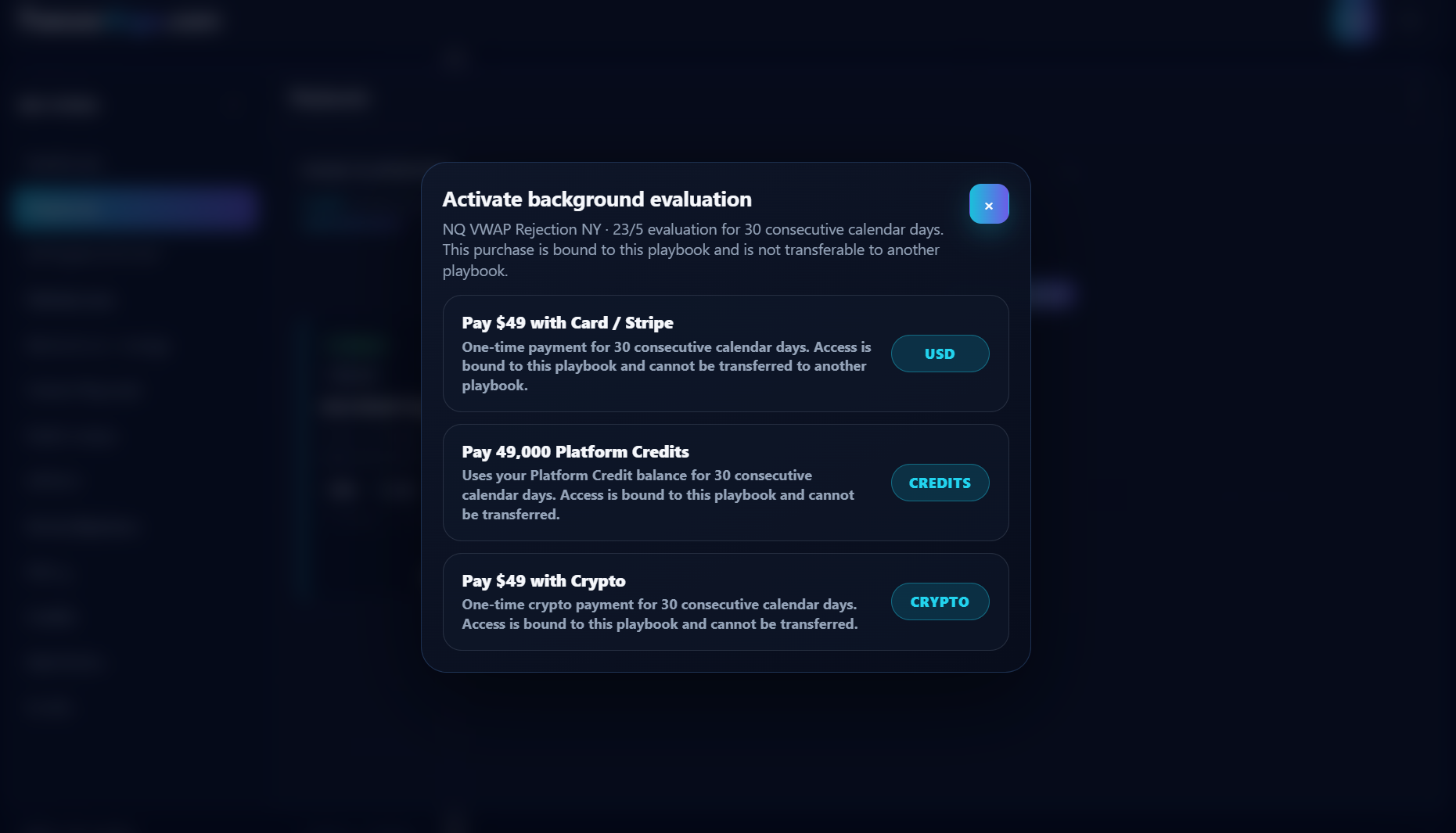
- When payment is required, choose an available payment method.
- Complete the one-time purchase.
- Confirm that the Playbook shows the active period or remaining days.
Available payment methods can include card, Platform Credits, or crypto when the corresponding provider is available.
Deactivate and reactivate
Turning Background Evaluation off stops new background evaluation.
It does not:
- pause the 30-day period;
- extend the expiry date;
- transfer the remaining time to another Playbook.
You can re-enable it during the same active period without buying it again.
Renewal
Background Evaluation does not auto-renew.
After the 30-day period expires, purchase another period to continue.
Common reasons it is unavailable
- the account is not Pro or Max;
- the Playbook is rented;
- the Playbook is missing a valid ID or eligible configuration;
- the payment provider is temporarily unavailable;
- the Platform Credit balance is insufficient for a Platform Credit purchase.