

Export Trade History as CSV
CSV Trade Export downloads the Trade History records that match the current filter.
Availability
CSV Trade Export is available for:
- Pro;
- Max.
Other account types may include CSV export when it appears in the signed-in account limits under Settings → Billing. It is not included with Starter.
Export the current filter
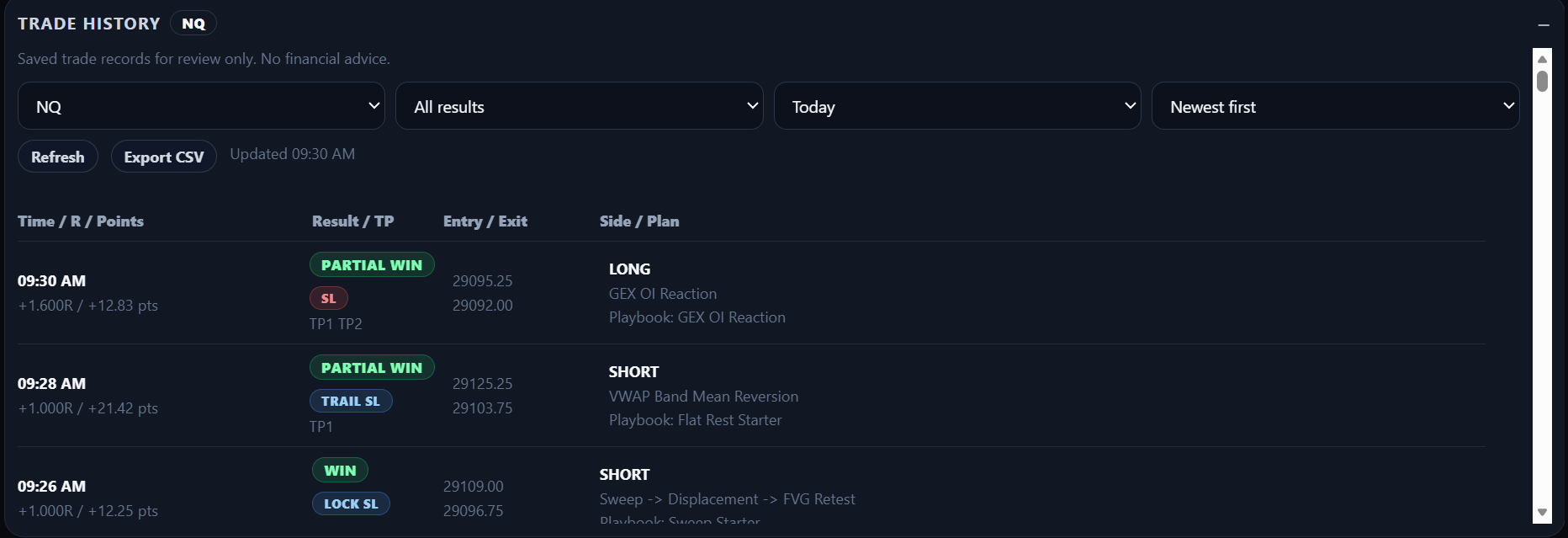
- Open Trade History.
- Select the instrument, result, period, date, and sort order you need.
- Wait for the selected history to load.
- Select Export CSV.
- Save the downloaded file.
The export uses the current Trade History filter, including the selected sort order.
When Export CSV is disabled
Check whether:
- the account includes CSV export;
- a specific date is required but not selected;
- the selected date is outside the historical-data entitlement;
- Trade History is still loading or refreshing;
- an export is already being generated.
If the export fails
Keep the current filters and try again.
If the problem continues, contact support and include:
- the selected instrument;
- selected result;
- period or date;
- approximate time of the failed export;
- the visible error message.
Do not send passwords, payment details, or other confidential credentials.