

Add and manage dashboard cards
The dashboard is a customizable workspace for Playbooks, trade activity, market context, and performance review.
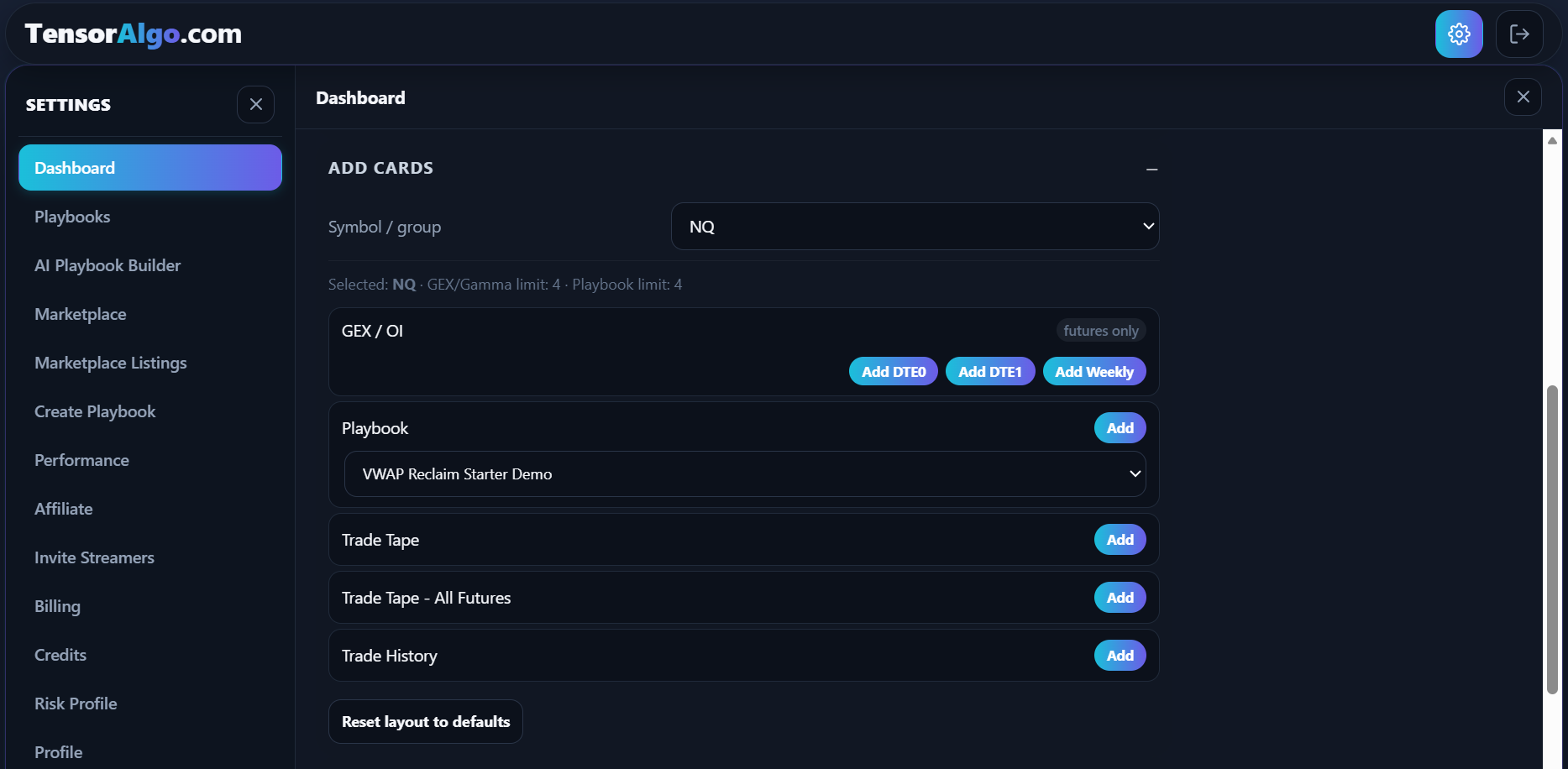
Available cards can include:
- Playbook cards;
- Trade Tape;
- Trade History;
- Trade Intelligence Center;
- GEX / OI;
- Crypto Gamma.
Card availability and quantity depend on the account's effective limits.
Add a card
- Open Settings.
- Select Dashboard.
- Choose any required instrument or market.
- Select the card you want to add.
Move or resize a card
- Enter layout-editing mode.
- Return to the dashboard and drag the card to the intended position.
- Resize the card where the layout supports resizing.
- Exit edit mode after the layout is correct.
Remove a card
- Enter layout-editing mode.
- Use the card's remove control.
- Confirm the layout change if prompted.
Removing a card from the layout does not normally delete the underlying Playbook, trade data, report, or account setting.
When a card cannot be added
Common reasons include:
- the maximum number of GEX/Gamma cards has been reached;
- the maximum number of streamed symbols has been reached;
- the card is already present where duplicates are not supported;
- the feature is unavailable for the current account state.
Compare your current card and streamed-symbol usage with the effective limits shown for your account.