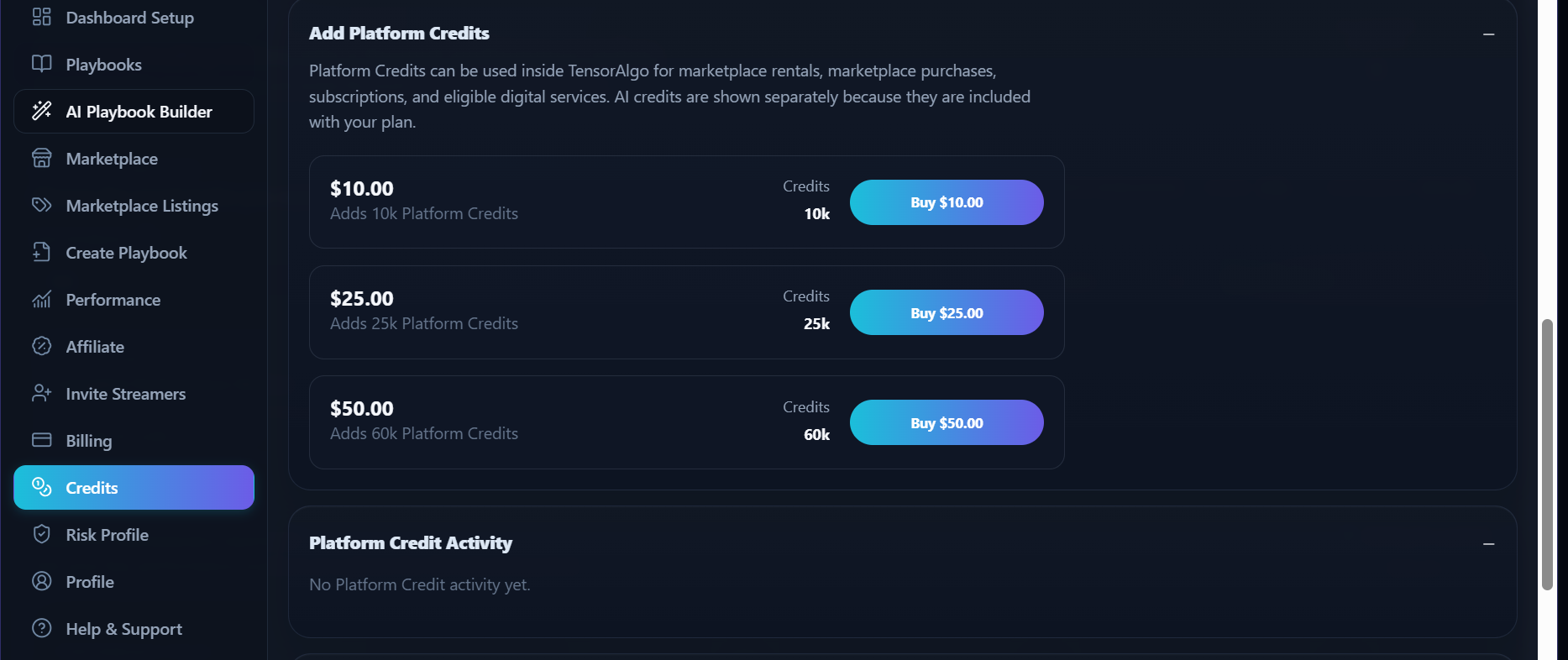

Platform Credits
Platform Credits are a separately purchased balance used for supported paid actions inside TensorAlgo.
They are separate from the AI Credits included with a subscription plan.
Supported uses
Depending on current product availability, Platform Credits can be used for actions such as:
- eligible Marketplace rentals or purchases;
- supported subscription or digital-service payments;
- Background Evaluation where Platform Credits are offered;
- applicable AI usage after the included AI allowance.
The payment screen for an action shows whether Platform Credits are accepted.
Buy Platform Credits
- Open Settings.
- Select Credits.
- Find Add Platform Credits.
- Choose an available credit pack.
- Choose an available payment method.
- Complete checkout.
- Return to the Credits page and confirm the updated balance.
Pack sizes, prices, and payment-provider availability are dynamic.
Review activity
The Platform Credit ledger can show:
- credits added;
- credits spent;
- transaction type;
- transaction date;
- balance after the transaction.
When a balance does not update
- Refresh the Credits page.
- Confirm that checkout completed successfully.
- Allow a short period for payment confirmation.
- Check whether the transaction appears in the activity list.
- Open a Support Ticket if the payment succeeded but the balance is still missing.
Include the approximate payment time and the visible transaction reference. Do not send complete payment-card details or private wallet credentials.